You make the folders. Your passport, visa and tenancy papers sort themselves into them. Everything stays on your phone.
Get the Android beta on your phone
Scan the code with your phone camera, or copy the link and send it to yourself.
Read the install steps. On an iPhone? Join the waitlist.
The real app, filing a sample passport with airplane mode on.
You make the folders. It does the sorting. Your phone keeps everything.
Name them anything. Visa, Tenancy, Trip to Japan.
Add a document. It goes into the right folder.
Nothing leaves your phone
Read, sorted and kept on your phone. Never uploaded.
A quick simulation with sample documents. In the real app, this happens on your phone and your documents never leave it.
Skip the simulationAbout 30 seconds
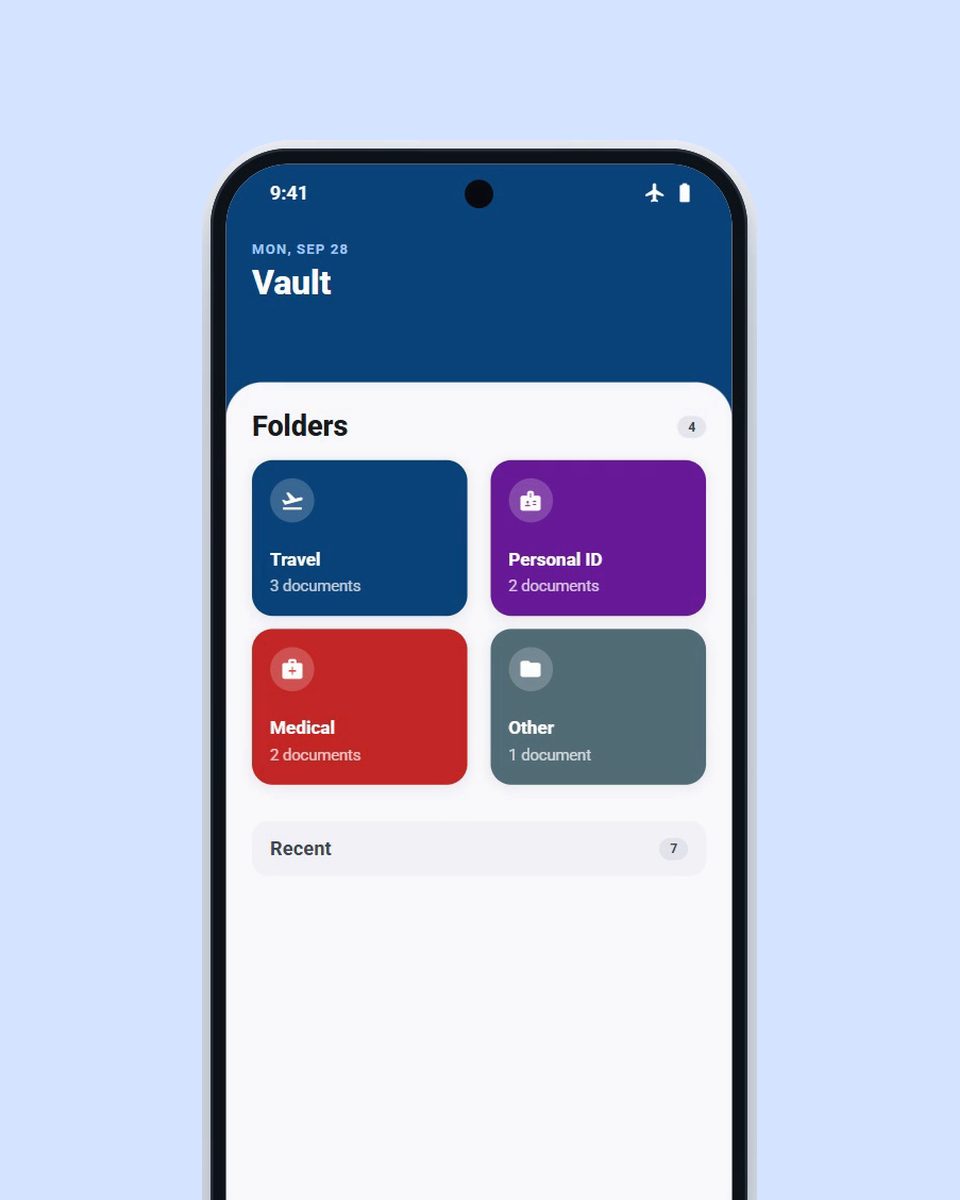
No searching. Just open the folder.
Today: you scroll your camera roll, WhatsApp and email with a queue behind you.
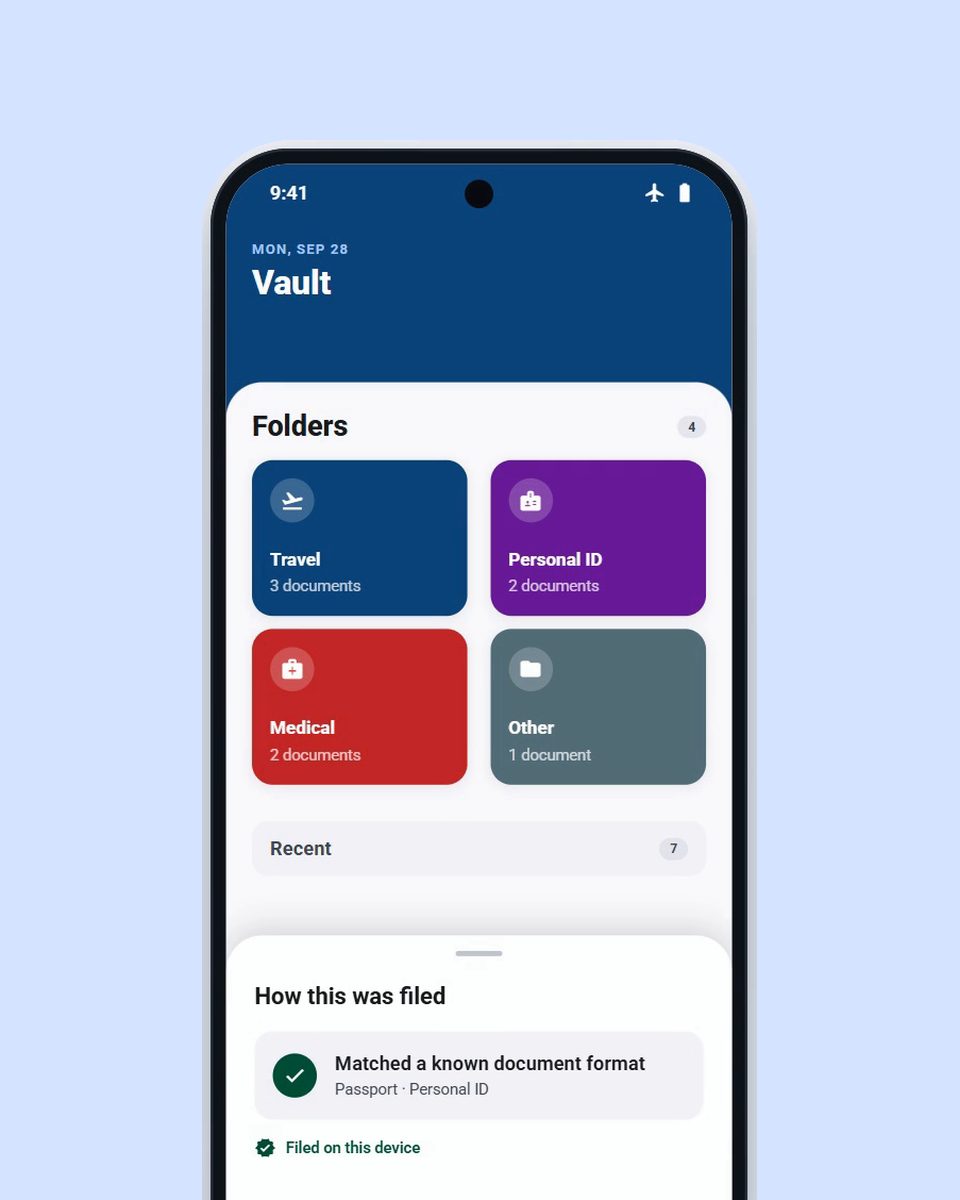
You make folders like “Visa”, “Tenancy” or “Trip to Japan”. Each new document goes where it belongs.
Today: you sort by hand, or not at all.
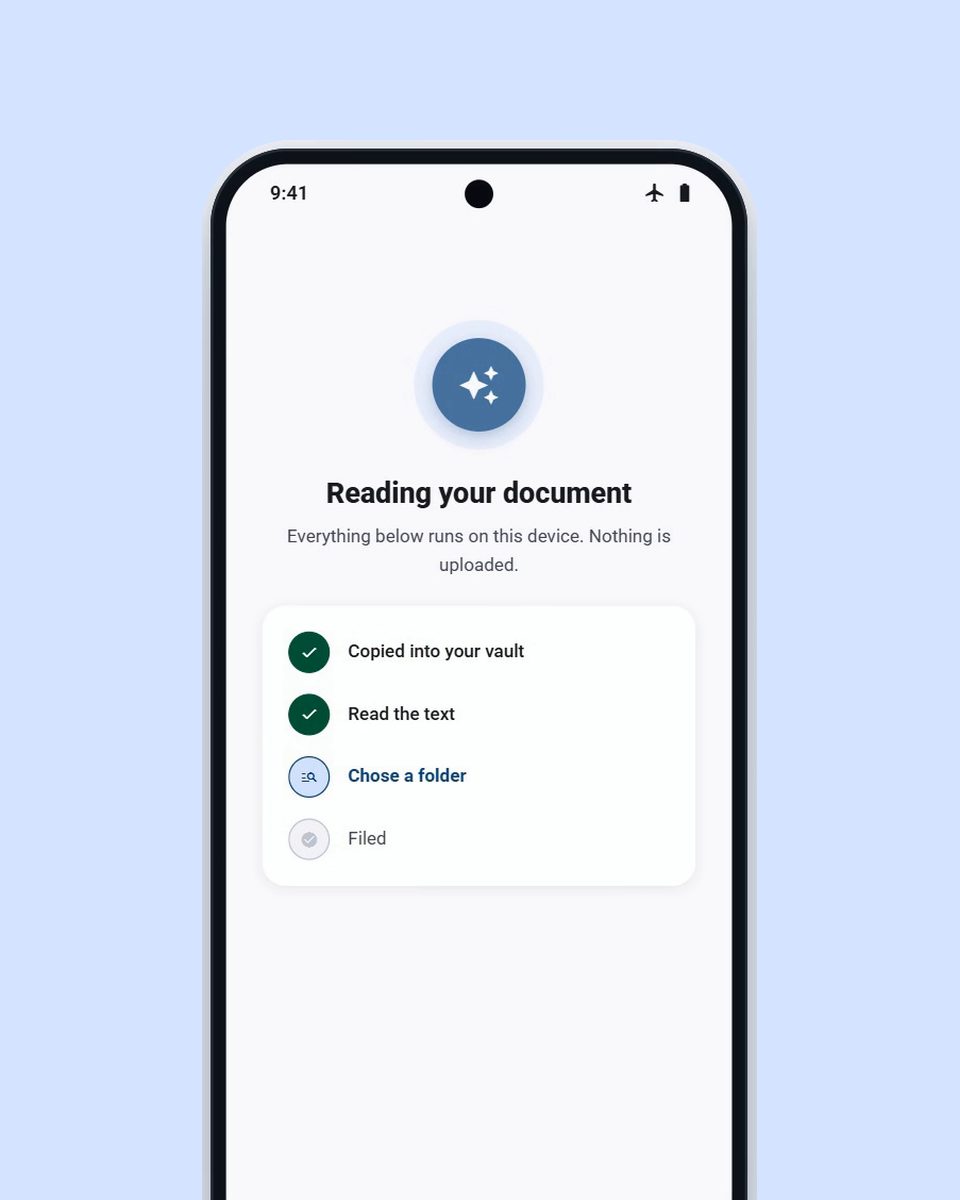
Your documents are read and stored on your phone. They are never uploaded.
Today: copies sit in chats, email and a Drive folder.
Your passport is yours. It stays on your phone, from the first scan to the counter.
The app reads each document right on your phone.
Your documents are stored on your phone. They are never uploaded.
Our server only holds your account details and usage counts linked to your account, never your documents.
Install the latest build and start testing VaultPass AI.
It is not on Google Play yet, so Android asks you to allow the install. The download page walks you through it.
Scan it or share it to the app. The app reads it on your phone and files it in the right folder.
The beta is free. After the beta, you choose a plan.
Free
Free while we test the app. Android first.
USD 0
After the beta. Up to 10 documents.
USD 4.99 per month
After the beta. No 10-document limit.

I’m Rayhan, a final-year Technopreneurship student at Taylor’s. I’m building this as a real startup.
I believe people need a better way to keep their documents in order.
The Android beta is ready. Download it and help shape the product.
I asked 217 people about finding their booking confirmations. 88% said it was a real problem. 13 people tested an early version.
Questions? Email me at [email protected]
Your documents are read and stored on your phone. They are never uploaded. Our server only holds your account details and usage counts linked to your account, never your documents.
Open the download page to scan a QR code or copy the link. On an iPhone? Join the waitlist.
Open the download page to scan a QR code or copy the link.
